You don’t need to credit me, but you’re free to do so!
I’m assuming I put it in a LocalScript in StarterPlayerScripts?
It’s a ModuleScript, so it would be required and called by a localscript:
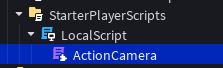
In the localscript, there’s literally just two lines of code;
local ActionCamera = require(script.ActionCamera)
ActionCamera.Start()
Since you do not have the Bucket package for cleaning up things, you have to resort to manual cleanup - which isn’t hard whatsoever, but regardless, I’ve pasted the code below.
Code WITHOUT Bucket
local RunService = game:GetService("RunService")
local ReplicatedStorage = game:GetService("ReplicatedStorage")
local Players = game:GetService("Players")

local Player = Players.LocalPlayer or Players.PlayerAdded:Wait()
local Camera = workspace.Camera

local BASE_FOV: number = Camera.FieldOfView
local MAX_VELOCITY: number = 80.0
local VELOCITY_ZOOM_MULTIPLIER: number = 5
local DOT_ZOOM_MULTIPLIER: number = 10
local SMOOTHING: number = 4.0

local CurrentOffset: number = 0

local function CharacterAdded(Character: Model)
	local Humanoid = Character:WaitForChild(`Humanoid`):: Humanoid

	local PreRender: RBXScriptConnection = RunService.PreRender:Connect(function(DeltaTime: number)
		if not Humanoid.RootPart then
			return
		end

		local DotToUpwards: number = Camera:GetPivot().LookVector:Dot(Vector3.yAxis)
		local DotOffset: number = math.pow(math.max(0, DotToUpwards), 2) -- To make it non-linear, e.g. when the player only looks up a bit, it won't seem as much as if they look up more.

		local TargetOffset: number = math.clamp(math.abs(Humanoid.RootPart.AssemblyLinearVelocity.Y) / MAX_VELOCITY, 0.0, 1.0) * VELOCITY_ZOOM_MULTIPLIER
		CurrentOffset += (TargetOffset - CurrentOffset) * math.min(SMOOTHING * DeltaTime, 1)
		Camera.FieldOfView = BASE_FOV + CurrentOffset + DotOffset * DOT_ZOOM_MULTIPLIER
	end)

	Character.AncestryChanged:Once(function()
		PreRender:Disconnect()
	end)
end

local function Start()
	if Player.Character then
		CharacterAdded(Player.Character)
	end

	Player.CharacterAdded:Connect(CharacterAdded)
end

return {
	Start = Start
}
Um quick question,
Right, entirely different significantly more complex code, as it can work for both player characters and NPCs alike.
I will not paste it here, as it requires too much work at the moment to incorporate into other games, therefore, I will send a video that assists you along the way of creating your own system:
ok thx
1 Like
The prevention of high jumping in air was already implemented, my dumbass just forgot to use it.
I’ll post change logs for when something noticeable changes, small fixes will not be posted because I can’t bother mentioning everything.
0.0.2
STATUS: Published
Added
- Value Manager to handle offsets and multipliers of values, e.g. used for Walk Speed, Jump Power and Field of View.
- Therefore, high jumping now disallows normal jumping and reduces the player’s Walk Speed by 0.25x.
- Player bucket observing behind the scenes to clean up anything after a player leaves to prevent potential memory leaks.
Removed
Fixed
- You could high jump in air, as fun as it was; not intended.
Changed
My plans for the next couple version is:
0.0.3
Movement dashing?
0.0.4
User Interface responses for high jump and dashing?
0.1.0
First magic(s)?
0.0.3
- Imported Chrono as a way to make player replication significantly better, may have adverse effects due to the fact I’m using 2.0.0[1].
- Implemented a running movement system, press
LeftCtrl/RightCtrlto toggle.- Usage is prevented during high jump charging.
- However, if the player was sprinting before the high jump, then it’ll automatically make them run once the high jump button is released.
- Lowered base walk speed from 16 → 8.
- Randomizes the player’s two hairs each spawn, there are 73 hairs in total.
[2]
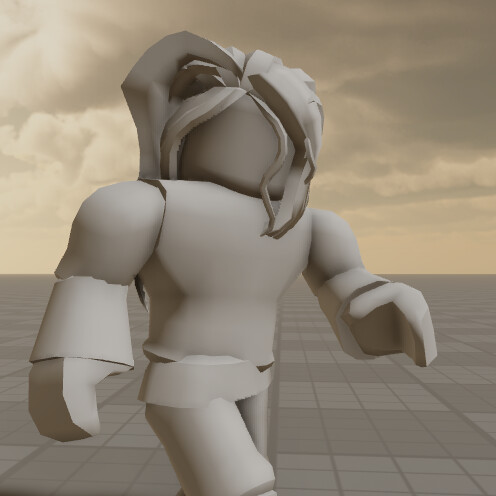
Dashing will come next update, as I still need to make animations for the directions.
1 Like
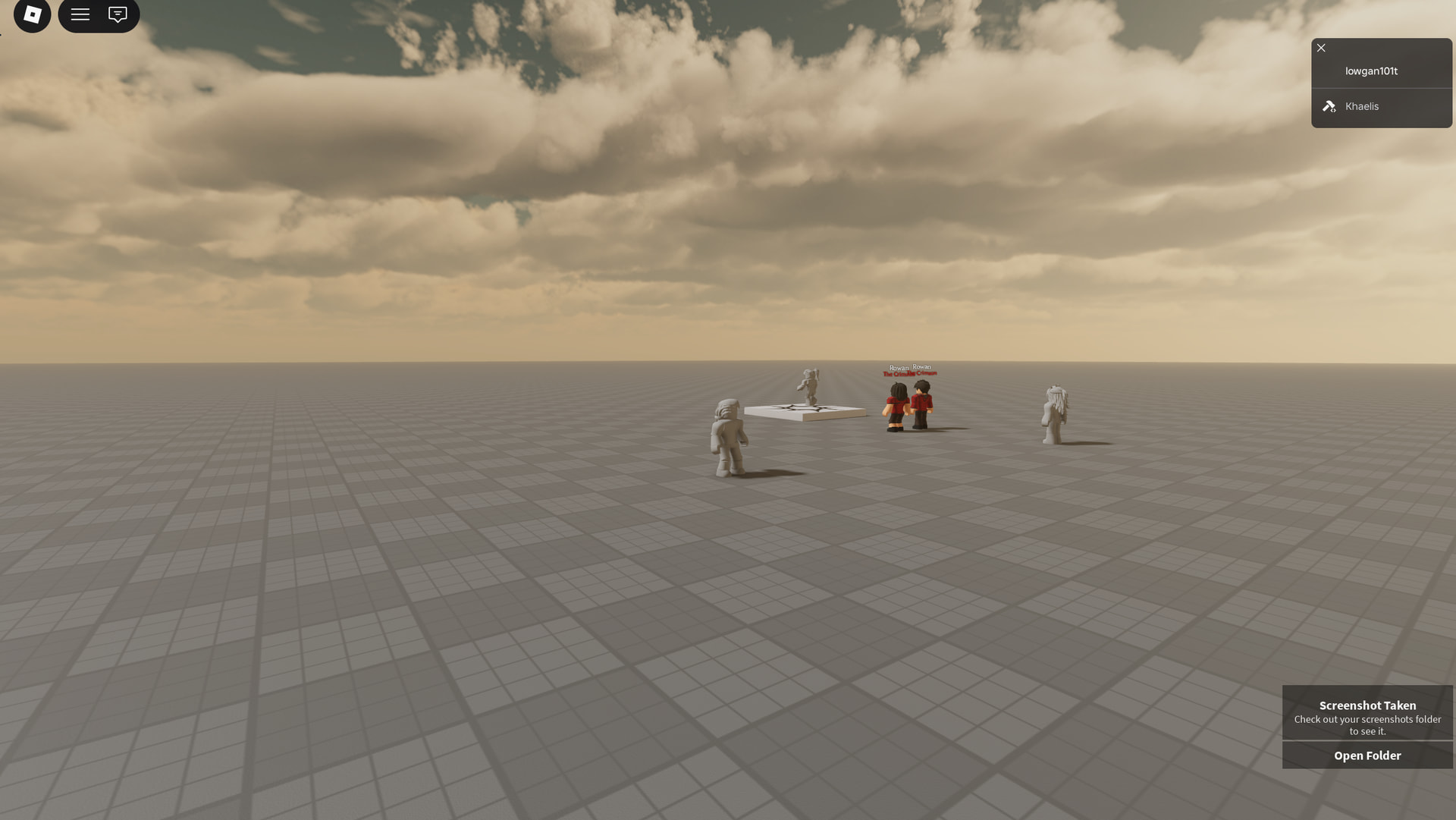
Greetings, I was in the middle of making dashing and such for 0.0.4.
0.0.4
- Implemented dashing, variables are tuned to feel as best as possible at the moment.
- Dashing whilst jump charging is at the moment intentional, as I want to see what the movement possibilities for it is.
- It can only be done on the ground.
- Prevents rendering of character looker at distances greater than 75 studs, the distance calculations are done on the server.
- Added Retro ColorGrading along some other lighting adjustments, let me know how it looks.
- Added a visual indicator in the bottom right, so folk don’t have to remember what version the game is at based on these devlogs.
Changed the base PlayerModule to use Input Action Service, there shouldn’t be any change except Shiftlock is now onShiftlock are stillLeftAlt/RightAltLeftAlt/RightAlt
Weird, dashing won’t work, neither will the shiftlock change… one moment.
It works now, I had to get rid of Roblox’s “modernized” player controller because it was inconsistently loaded based on if it was studio or not despite not being a beta feature and should work IDENTICALLY to live client.
It’s best to think of the dashing and hence every other ability to-be-added as a level 1 character, therefore; not that much.
Issues
- If you attempt to dash whilst not moving, it will dash you towards the world X direction rather than the player’s look vector.
- The collision dash prevention isn’t correctly checking the whole rig; it should be checking in a cube shape rather than a ray.
Showcase of dashing vetex hire me ↩︎
1 Like
That should be easy to fix;
Worldroot:BlockCast() instead of Worldroot:RayCast() or something
1 Like
0.0.5
- Added a hover user interface, where if your mouse hovers over any tagged object, it’ll show a title, description and color the user interface.
- It’s inspired by World of Magic’s version.
- Now preloads all animations to prevent the first load of animations not showing for a few seconds, doesn’t make the loading process of the systems slower, as it is handled in another thread.
- Fixed a crucial bug with my Bucket cleaner code, which tried to clean up actively running threads when not possible, leading to an error.
- Optimized the lookup logic of finding the dashing directional animations.
- Changed dashing collision code from using
WorldRoot:Blockcast()instead ofWorldRoot:Raycastto prevent slight cases of collision. - Changed Walk Speed from 8 → 12[1], and Run Speed from 16 → 24.
- Tuned dash velocity from 2 to 7 and change the fading timings VERY subtly.
- Optimized the cleanup operations of the dash system, as it wasn’t cleaning up when the player left and/or died.
- Changed Dashing priority from
ActiontoAction2, to prevent being merged with falling animations.
Issues
- The player hitbox for dashing is too big, possibly a 0.75x to the size would be optimal.
4 slower than Roblox’s default movement speed. ↩︎
1 Like
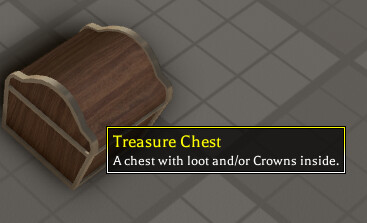
Before you ask, yes, that is the same shape as the Arcane Odyssey chest, but granted, it’s not exactly one of their assets; Telamon’s Mystery Box - Roblox
0.0.51
- Walking onto another material should no longer cause an intense screen shake.
- Added a few more cases of the hover user interface’s features, e.g. color and different abstract objects.
- game-breaking change… I changed the baseplate to grass.
Slight change that adds some depth to the eyes.
Old
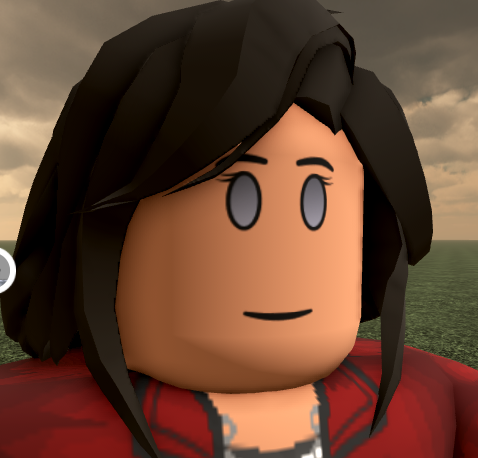
New
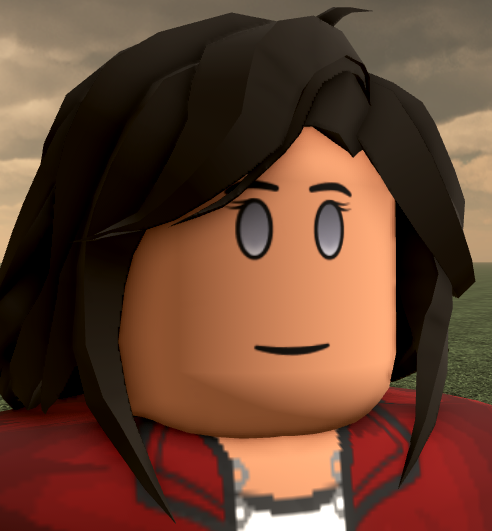
On a scale from 1-10, how good is this change?
and so, why?
- 1
- 2
- 3
- 4
- 5
- 6
- 7
- 8
- 9
- 10
0
voters
I think the AO one is stretched